Spin Up a VM in Hetzner
Create a CX43 VM on Hetzner Cloud for CTMS deployment. Total cost: ~$10.59/mo.
Step 1 — Location & Image
Sign in at console.hetzner.cloud → create a project → Add Server.
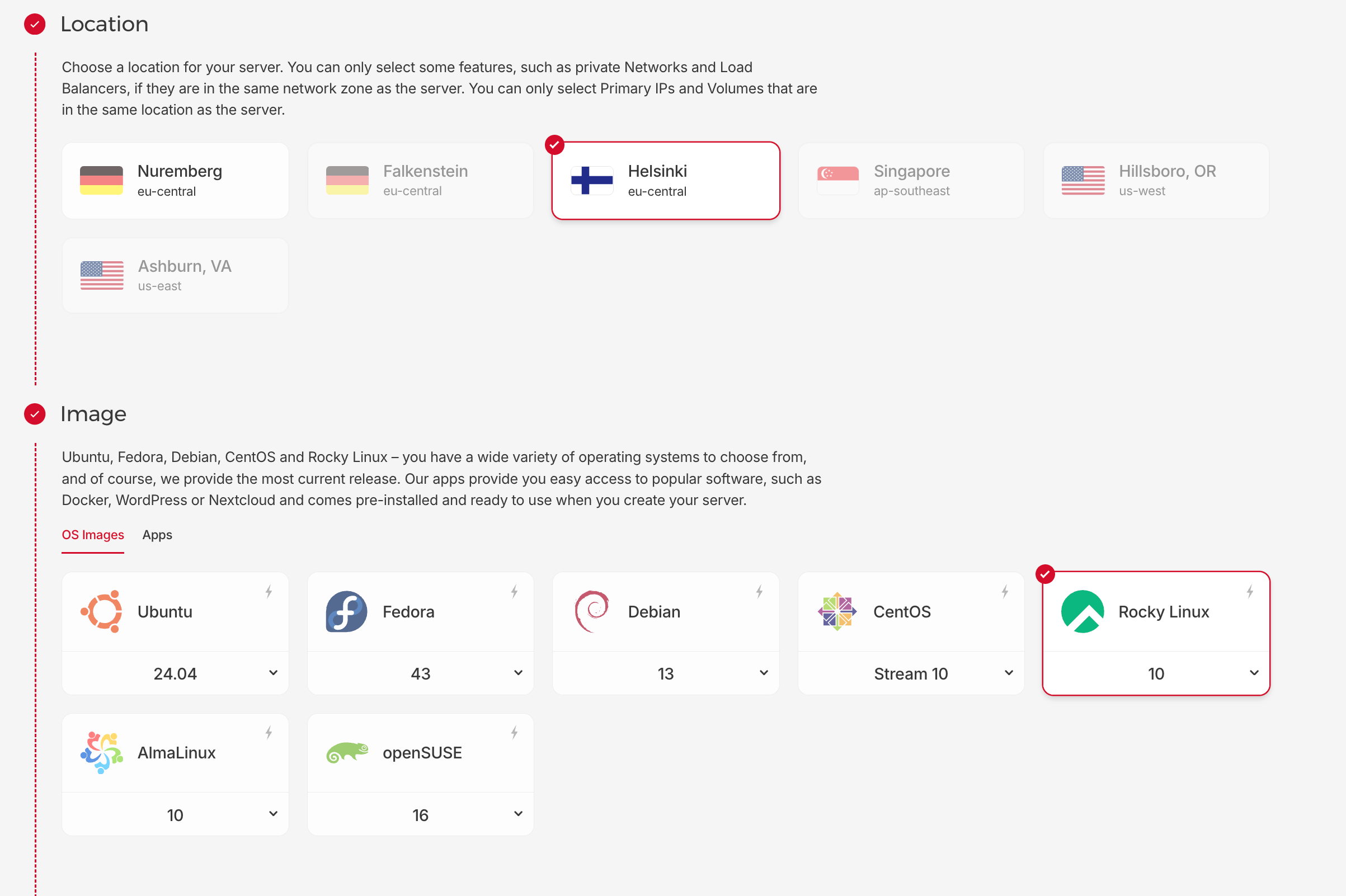
Pick any available location (Helsinki, Nuremberg, Ashburn, etc.) and select Rocky Linux 10 as the image.
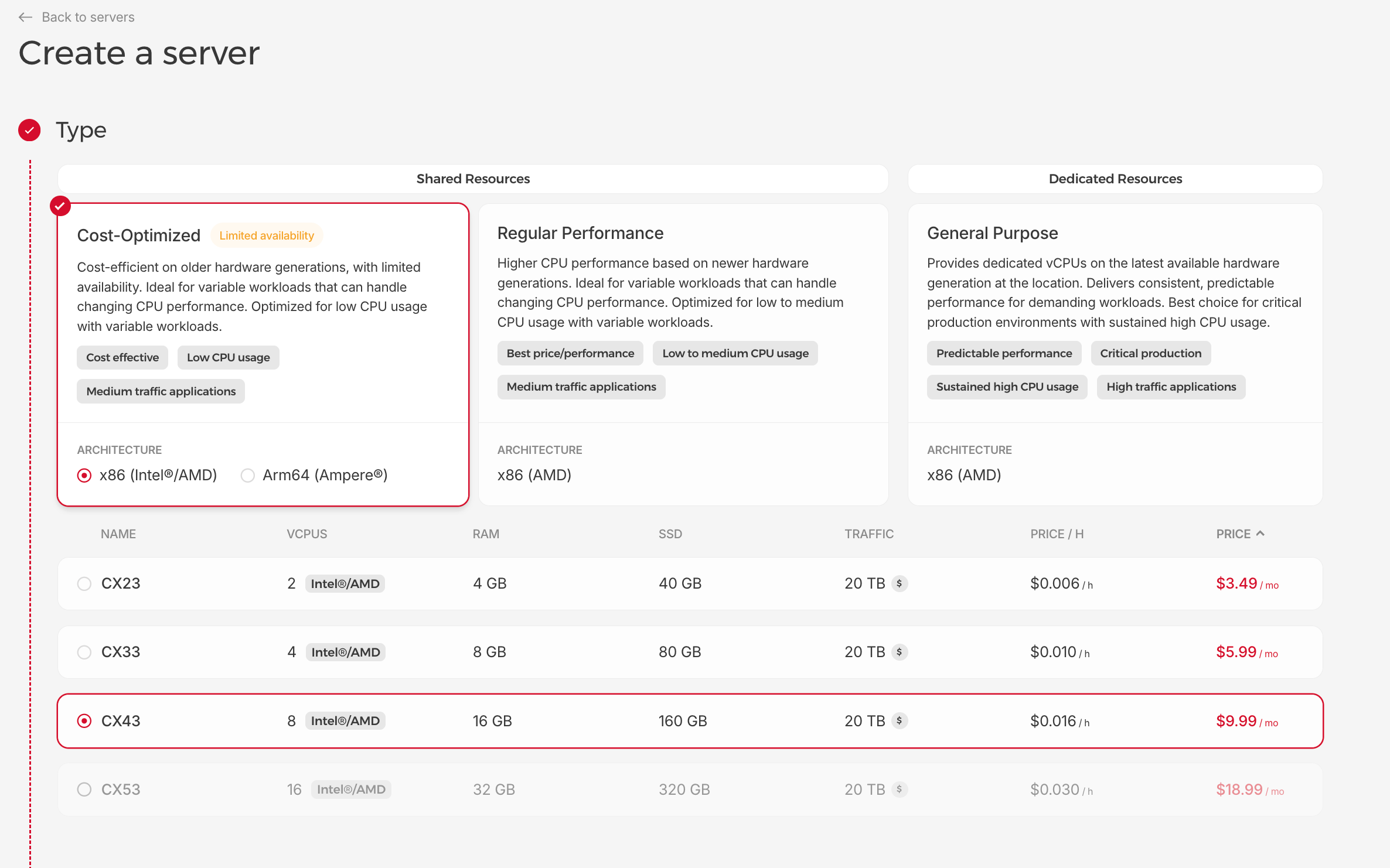
Step 2 — Server Type
Select Cost-Optimized → CX43 (8 vCPU, 16 GB RAM, 160 GB SSD):
| Spec | Value |
|---|---|
| Type | CX43 (Cost-Optimized, x86 Intel/AMD) |
| vCPU | 8 |
| RAM | 16 GB |
| Disk | 160 GB SSD |
| Traffic | 20 TB |
| Price | ~$9.99/mo + $0.60 IPv4 = $10.59/mo |
Step 3 — Networking & SSH Key
Enable IPv4 (required). Select your SSH key — or add a new one (see Generate SSH Key).
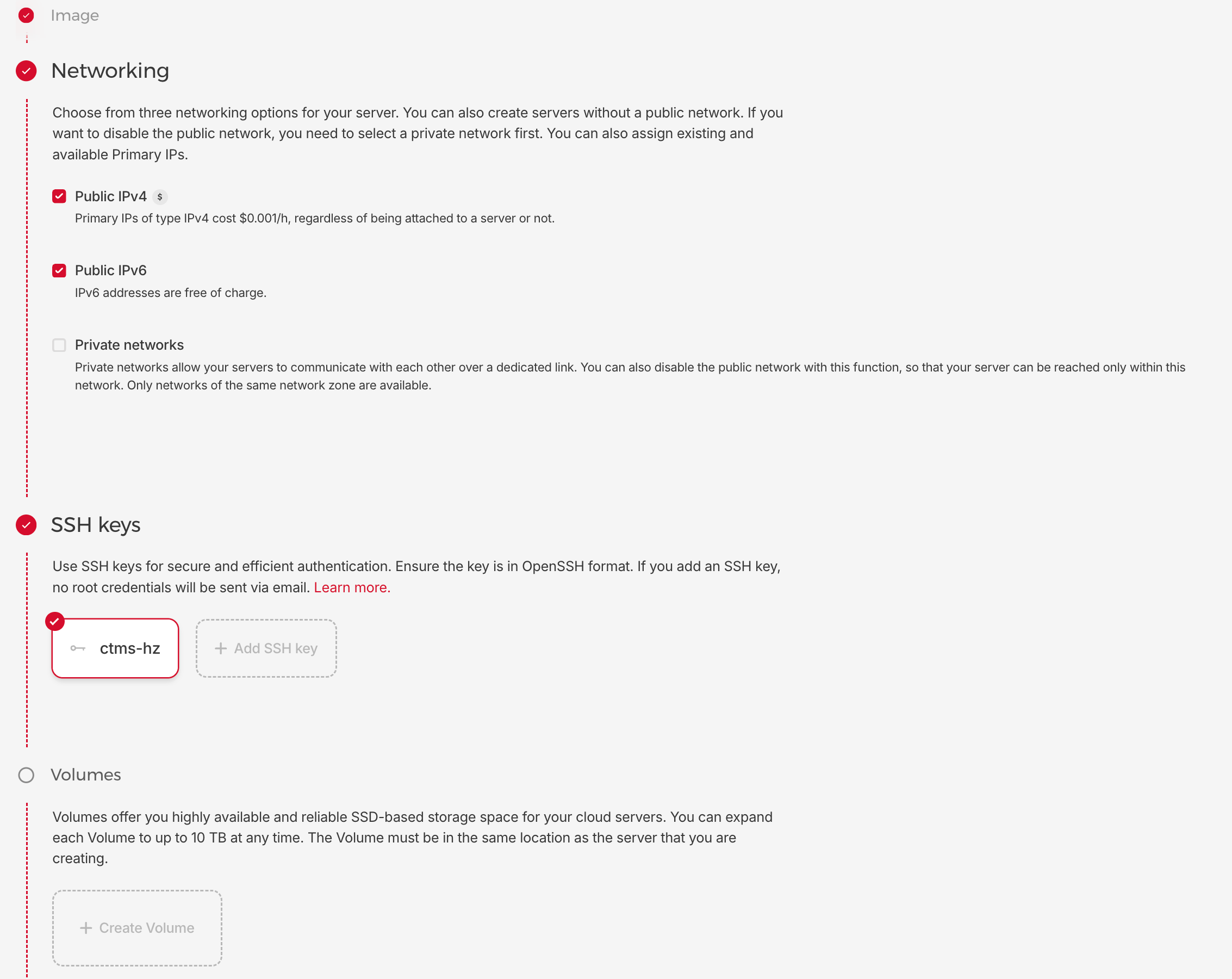
Hetzner assigns both an IPv4 and an IPv6 address. When IPv6 is present, the OS
may prefer it for outbound connections, causing zynctl.sh to auto-detect the
IPv6 address and produce broken service URLs like
http://2a01:4f9:c010:a4a3::1:3000.
Fix: Always set your public IPv4 address explicitly in zynctl.conf:
SERVER_HOST=157.180.x.x # ← your Hetzner IPv4 (from the server detail page)
Copy the IPv4 address from the Hetzner Console → server detail page → Public IPs section.
Step 4 — Create & Connect
Give it a name (e.g., ctms-prod-1) and click Create & Buy now.
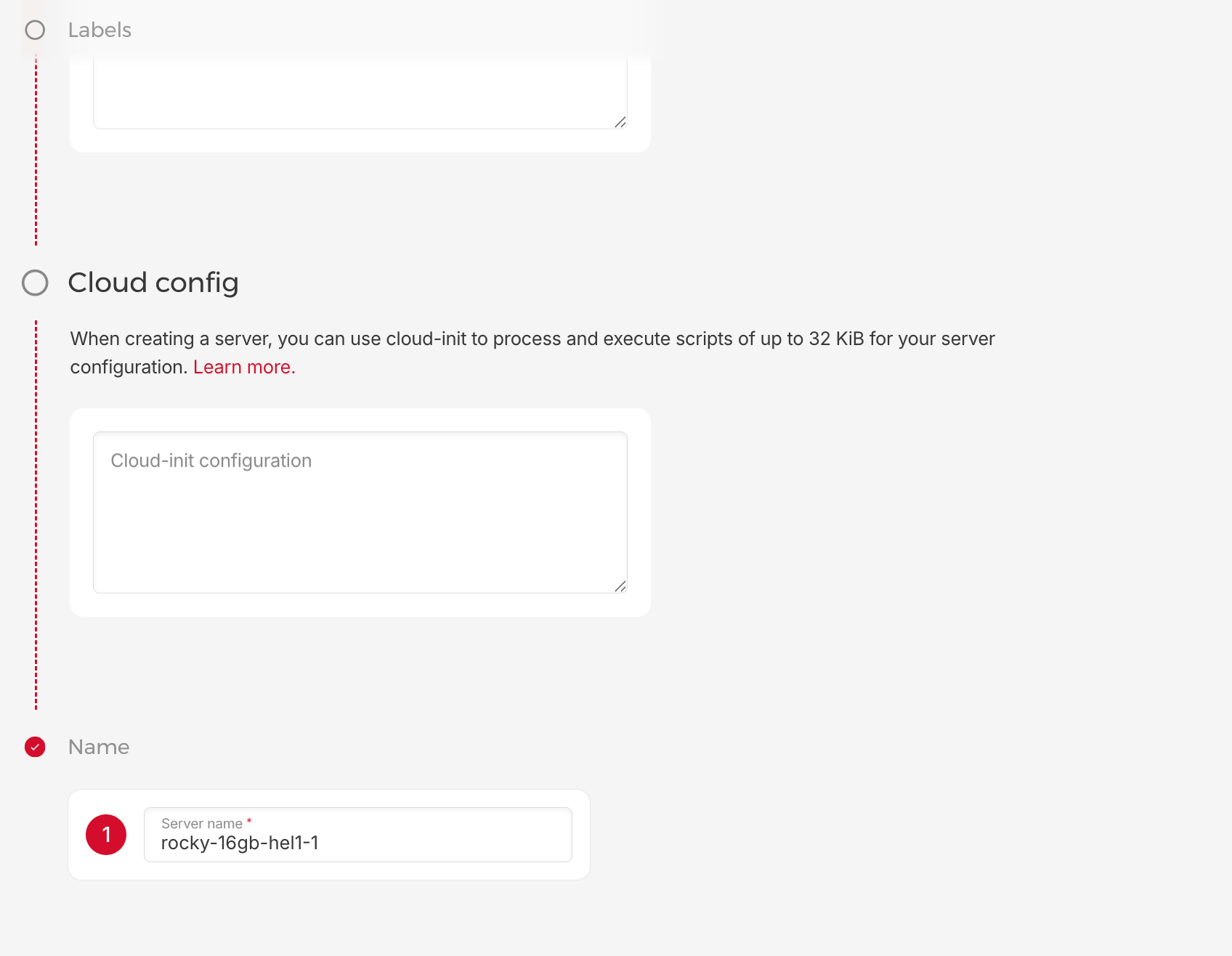
Copy the public IPv4 from the server detail page, then connect:
ssh -i ~/.ssh/ctms-hetzner root@<ip-address>
After VM Creation
Upload the bundle and deploy:
scp -i ~/.ssh/ctms-hetzner zynctl-bundle-*.tar.gz root@<ip>:~

ssh -i ~/.ssh/ctms-hetzner root@<ip>
tar xzf zynctl-bundle-*.tar.gz && cd zynctl-bundle-*
cp zynctl.conf.example zynctl.conf
# IMPORTANT: Set SERVER_HOST to your IPv4 address (see warning above)
vi zynctl.conf   # Set SERVER_HOST=<your-ipv4> and Docker Hub creds
./zynctl.sh full-deploy
See Bundle Deployment for the full guide.
Firewall (Optional)
In Hetzner Console → Firewalls → create one with these inbound rules:
| Port | Service |
|---|---|
| 22 | SSH |
| 3000 | Zynexa |
| 3001 | Sublink |
| 4000 | Cube.js |
| 5080 | OpenObserve |
| 8000 | Supabase Studio |
| 8001 | ODM API |
| 8006 | MCP Server |
| 8080 | Frappe |
| 9080 | API Gateway |
Apply the firewall to your server.
CLI Alternative (hcloud)
# Install (macOS)
brew install hcloud

# Authenticate
hcloud context create ctms
# Paste API token from: Console → Security → API Tokens

# Create CX43 VM
hcloud server create \
  --name ctms-prod-1 \
  --type cx43 \
  --image rocky-10 \
  --ssh-key ctms-key

# Get IP
hcloud server ip ctms-prod-1

# Snapshot before risky changes
hcloud server create-image --type snapshot --description "pre-deploy" ctms-prod-1

# Delete
hcloud server delete ctms-prod-1